Featured workflow
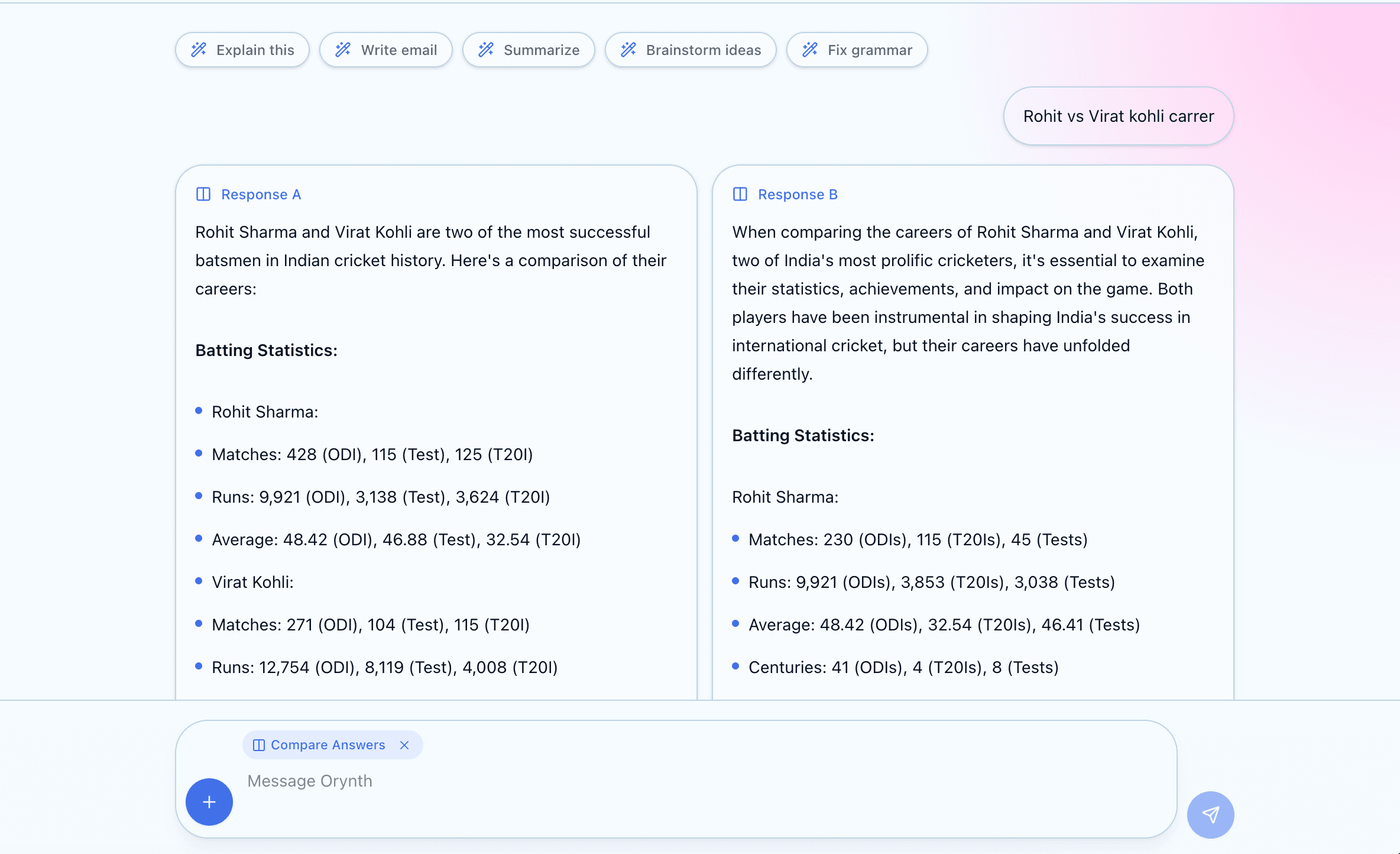
Compare Mode
Generate two separate answers side by side, then choose the one Orynth should continue with.
Switch between Atlas, Prism, Obsidian, and Ember layouts while keeping one focused workspace.
Atlas workspace
Clean, reliable, productivity-first.
Feature gallery
Showcase Orynth with polished product screenshots: compare two answers, convert replies into notes and tables, explain code in a developer-friendly view, and switch into focus mode when the work needs full attention.
Generate two separate answers side by side, then choose the one Orynth should continue with.
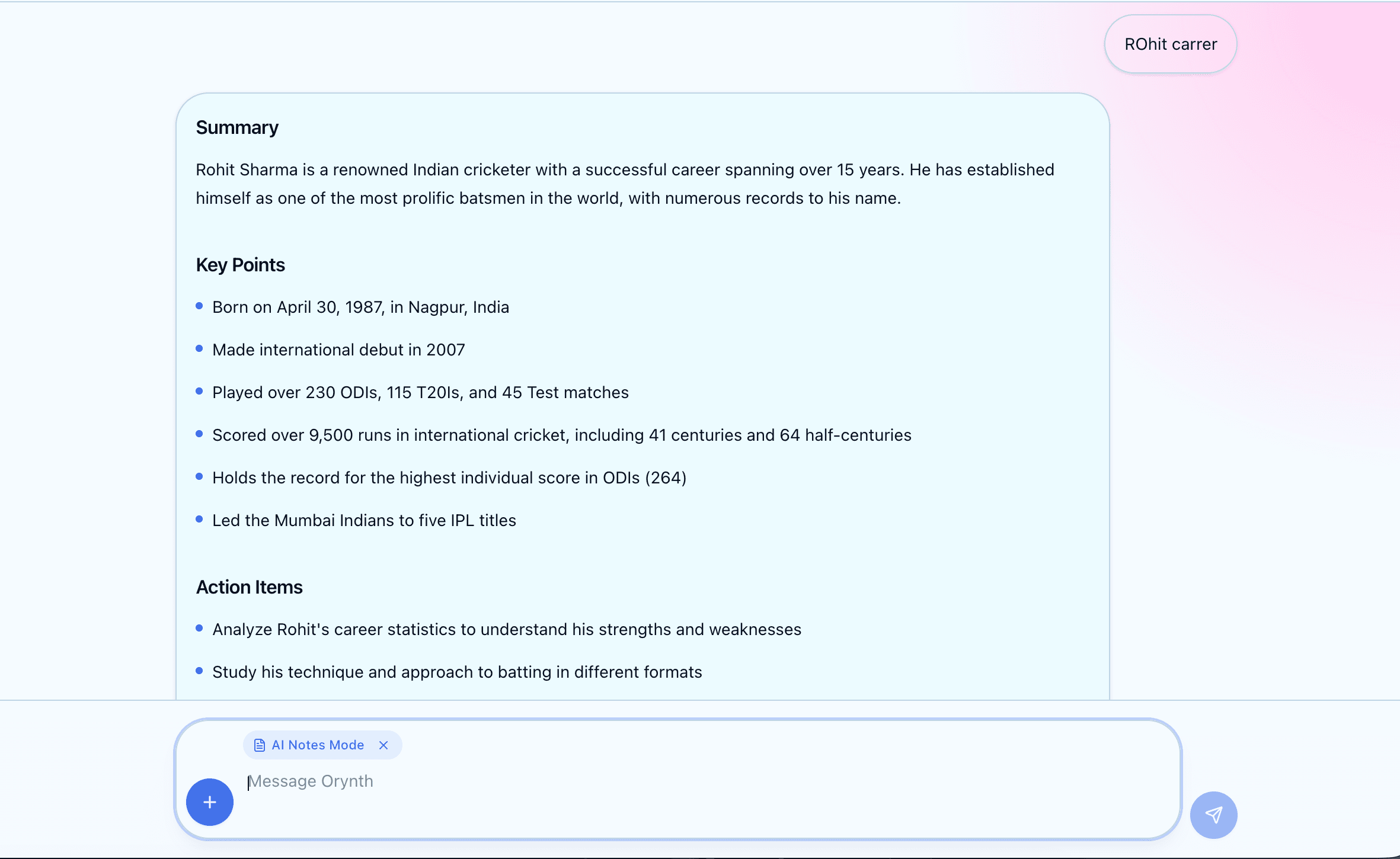
Turn long replies into clean notes with headings, bullets, action items, and follow-up questions.
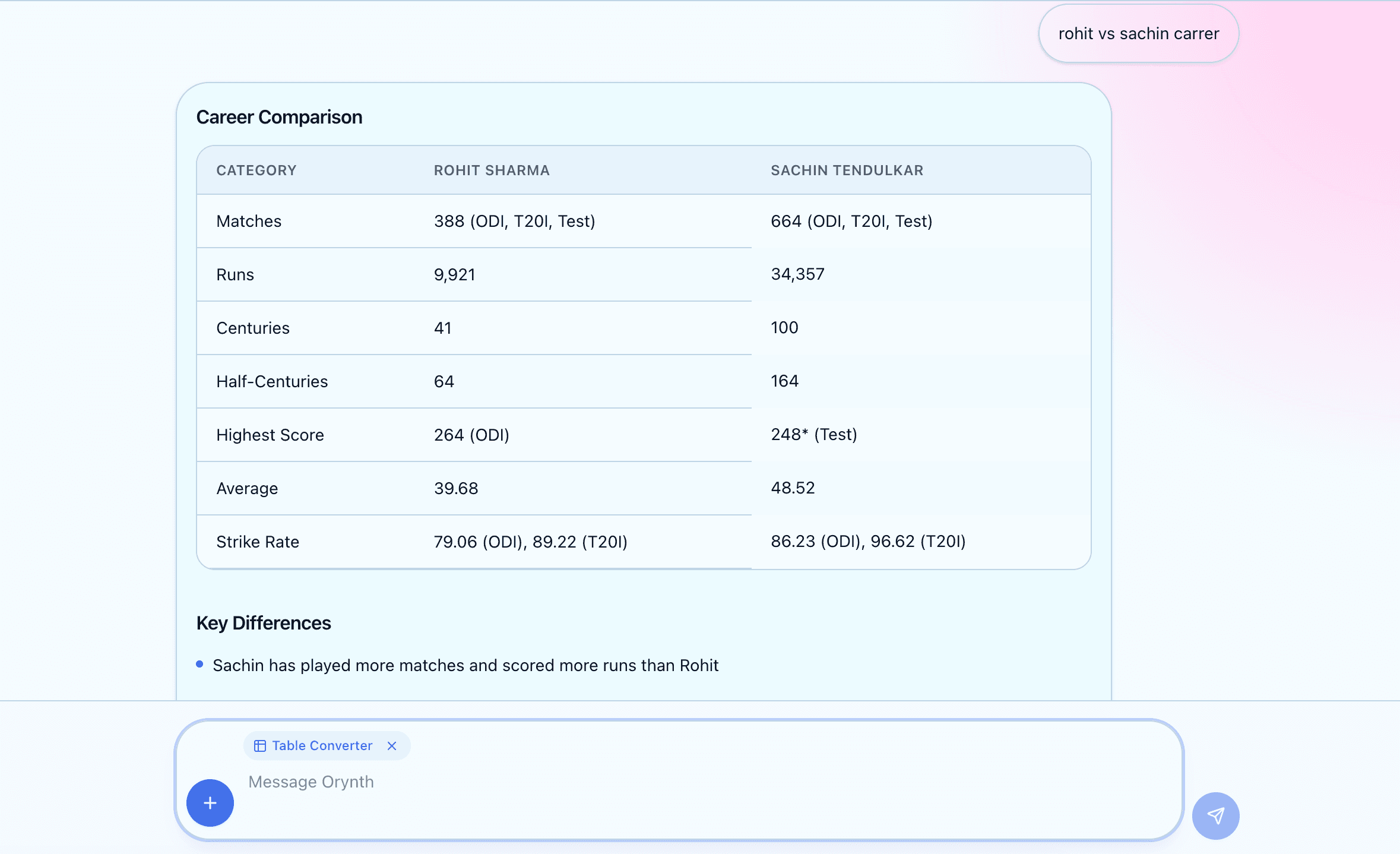
Convert messy information into structured tables that are easier to scan and present.
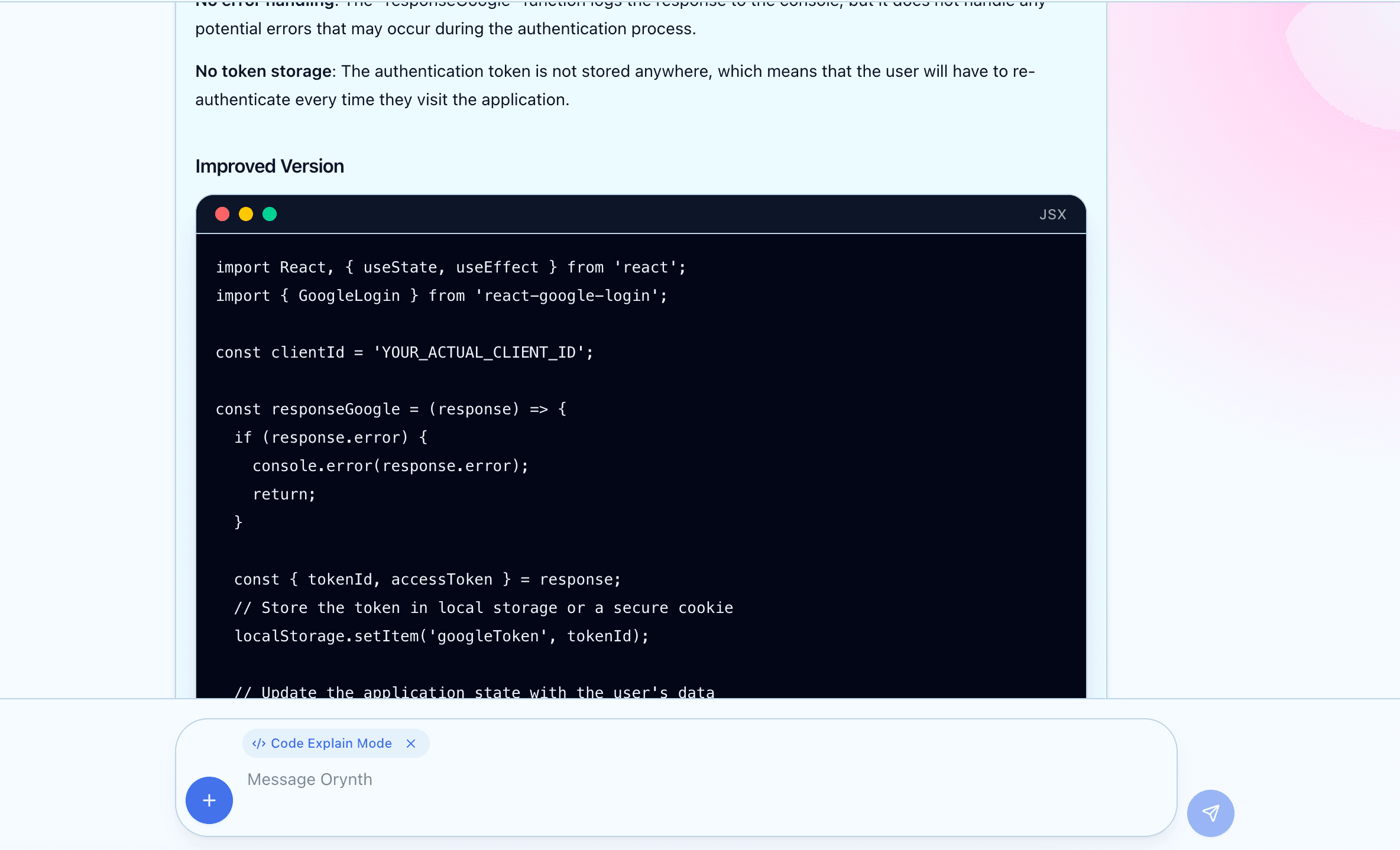
Explain code with clean sections and VS Code-style formatted code blocks.
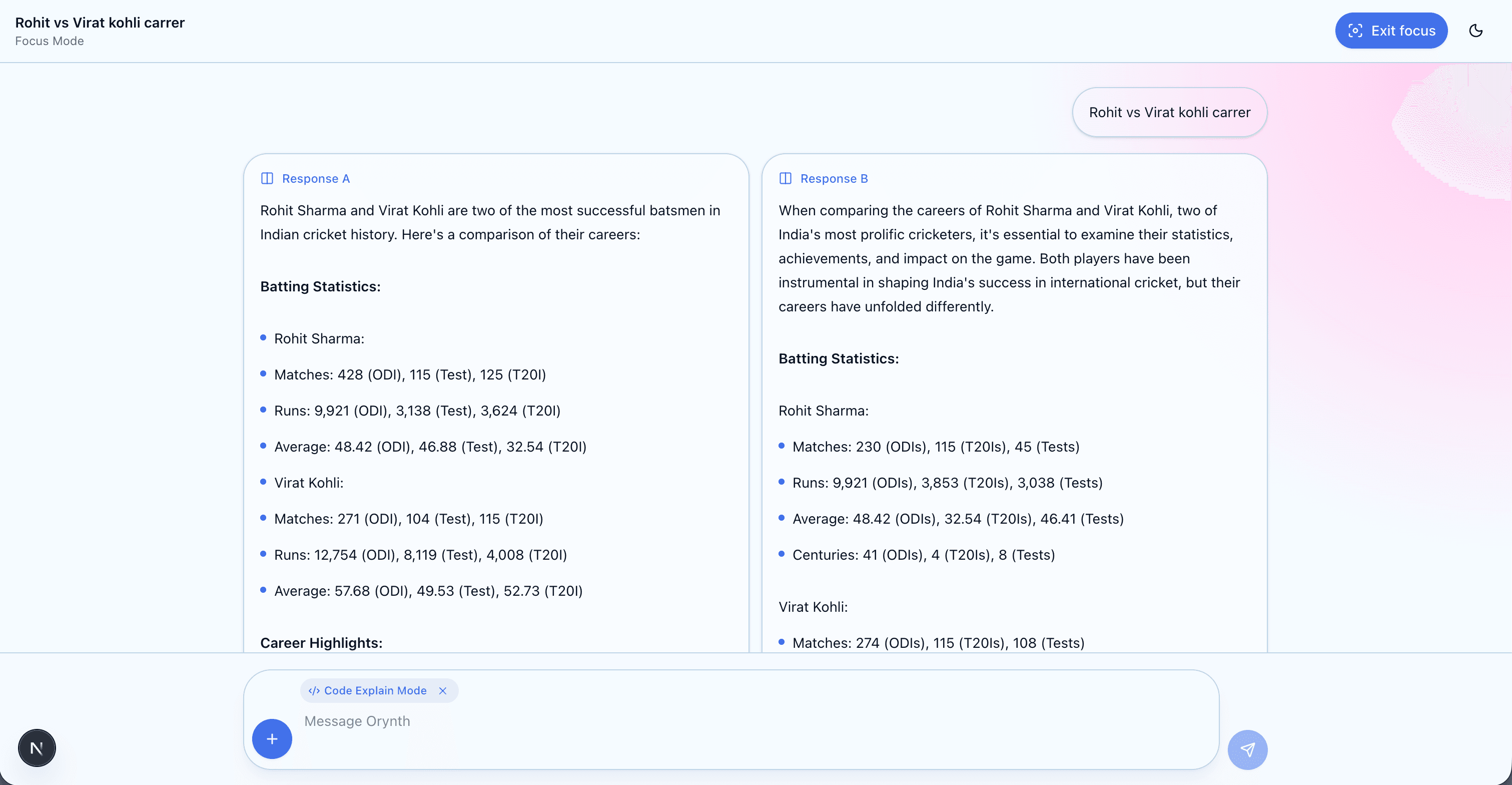
Hide extra panels and controls so the conversation becomes calm, wide, and distraction-free.
Interface systems
Each mode changes the rhythm of the interface without moving your conversations, settings, or workspace context.
Daily workflow
Orynth turns a normal chat screen into a guided workspace with saved context, faster choices, and clear next steps.
Local conversation history with clearer active states and quick session switching.
Start with Auto and get clear guidance when capacity is limited.
Compact sidebar, themed settings, and responsive controls for desktop and mobile.
Built like a real product
The product feels complete because the important moments are designed: access, loading, layout changes, and service status.
Private access
Login and logout flows keep the workspace focused and personal.
Theme-aware screens
Landing, auth, and chat follow the selected layout mood.
Animated loading
AI responses show motion instead of static placeholder text.
Clear AI status
Capacity and model availability are explained clearly.
Settings cockpit
Appearance, language, model settings, notifications, privacy, workspace preferences, and history are grouped into realistic product settings.
Open chatbotChoose a layout, sign in, and move into a polished AI workspace.
Launch chatbot